
Rate Limiting & Bot Protection using Cloudflare Workers

Cloudflare Workers, introduced in September 2017, revolutionized edge computing by enabling developers to run serverless code directly on Cloudflare’s global network of over 300 data centers. This approach minimizes latency by executing code close to end-users, ensuring fast and reliable application performance. With features like built-in security, automatic scaling, and seamless caching, Workers provide a cost-effective and highly flexible solution for a wide range of use cases, from API integrations and rate limiting to dynamic edge rendering. By combining simplicity with robust infrastructure, Cloudflare Workers empower developers to build scalable applications without the complexity of managing traditional servers.
Rate Limiting & Bot Protection with Cloudflare Workers is an excellent approach to safeguarding your website against malicious activities, such as excessive requests from the same source (e.g., brute force attacks or DDoS) or unauthorized bots consuming resources.
How This Worker Operates
The worker functions by monitoring requests from each IP address and counting how many requests are made within a specific time frame (e.g., 60 seconds). If the number of requests exceeds the predefined limit, the IP is temporarily blocked for a specified duration. Once the blocking period expires, the IP is automatically reactivated, allowing normal traffic to resume.
addEventListener('fetch', event => {
  event.respondWith(handleRequest(event.request))
})

const LIMIT = 100; // Max requests
const TIME_WINDOW = 60; // in seconds
const BLOCK_DURATION = 300; // in seconds

const cache = new Map();

async function handleRequest(request) {
  // Get the original user ip
  const ip = request.headers.get('CF-Connecting-IP');

  if (!ip) {
    return new Response('IP address not found', { status: 400 });
  }

  const now = Math.floor(Date.now() / 1000);
  let data = cache.get(ip) || { count: 0, start: now, blockedUntil: 0 };

  // Check if the user is blocked
  if (data.blockedUntil > now) {
    return new Response('Too many requests, try again later.', { status: 429 });
  }

  // Check if the time is passed
  if (now - data.start > TIME_WINDOW) {
    data = { count: 1, start: now, blockedUntil: 0 };
  } else {
    data.count++;
    if (data.count > LIMIT) {
      data.blockedUntil = now + BLOCK_DURATION;
      cache.set(ip, data);
      return new Response('Too many requests, you are temporarily blocked.', { status: 429 });
    }
  }

  cache.set(ip, data);
  return fetch(request);
}
Deploying the App
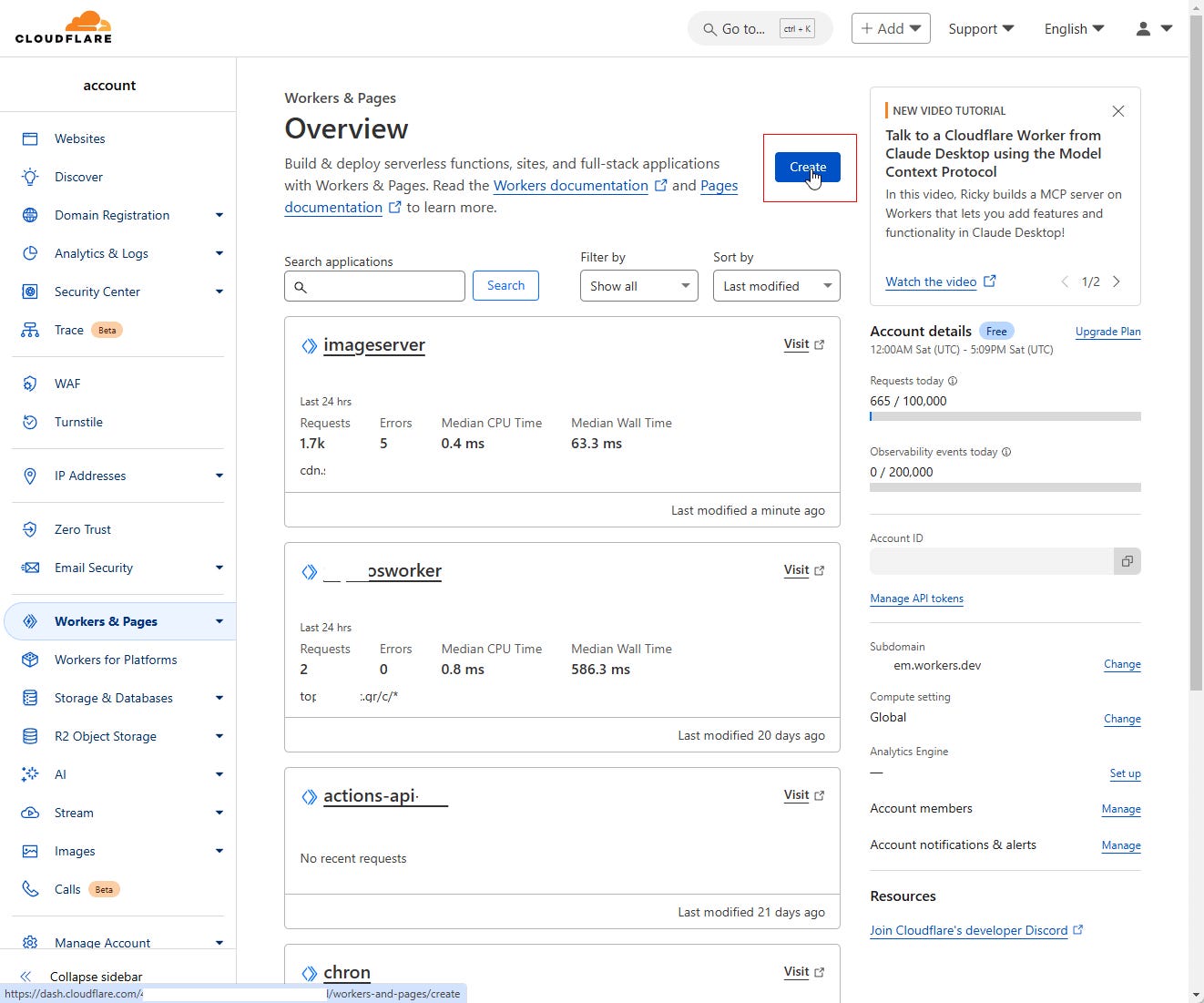
You can deploy the worker using Wrangler, Cloudflare’s CLI tool, or manually via the Cloudflare Dashboard.
Using Wrangler: Follow the instructions on the Wrangler GitHub repository to set up and deploy your worker.
Manually via Dashboard: Navigate to the Cloudflare Dashboard, create a new Worker, and paste your code directly into the editor for deploym
Extensions & Modifications
1. Logging Blocked IPs for Analysis and Review
You can enhance the worker by logging all blocked IP addresses for further analysis. This data can be stored in Cloudflare's KV Storage or sent to an external logging service for centralized monitoring. Such logs provide valuable insights into malicious activity and help fine-tune rate-limiting rules.
2. CAPTCHA Challenge
Instead of blocking users outright, you can redirect suspicious traffic to a CAPTCHA challenge, using services like reCAPTCHA or hCAPTCHA. This approach ensures that legitimate users can verify their identity while preventing automated bots from overloading your resources. The CAPTCHA page can act as a barrier, offering a second chance to users flagged by the rate-limiting rules.
Conclusion
Implementing rate limiting and bot protection using Cloudflare Workers is a powerful and flexible way to safeguard your website from malicious activity while maintaining a seamless experience for legitimate users. By monitoring traffic, blocking excessive requests, and leveraging enhancements like logging and CAPTCHA challenges, you can efficiently mitigate threats such as DDoS attacks, brute force attempts, and resource abuse. With these features in place, your website remains secure, reliable, and optimized for genuine traffic, ensuring a stable and user-friendly environment.
I’d Love to Hear From You!
Thank you for reading! If you have any additional ideas, suggestions, or use cases for Cloudflare Workers, I’d love to hear them. Your feedback helps me explore new possibilities and improve best practices. Feel free to share your thoughts in the comments or reach out directly—let’s build smarter solutions!